
REVIEW · TICKETS
Day Entry Ticket
Computers with gears still run today. At The National Museum of Computing in Milton Keynes, you get a guided-feeling walk through major milestones like the Turing-Welchman Bombe era, then forward to mainframes, retro gaming, and today’s mobile and internet age. I love that this ticket is designed as a mobile entry option, so you can spend less time wrestling with paper and more time looking at the machines.
My second favorite part is what happens around the exhibits. You’re not just reading about old technology, you get to see rebuilt systems demonstrated, including the Bombe and Colossus machines running as part of the museum experience.
One drawback to flag up front: this entry is for the National Museum of Computing, not for Bletchley Park itself. If you mix up the two on booking, it can turn into an expensive do-over at the door, so double-check your confirmation carefully.
In This Review
- Quick hits before you go
- National Museum of Computing: why this place works
- Ticket value in plain terms: what you’re really paying for
- Bletchley Park vs TNMOC: the detail that can cost you
- Your visit flow: how the museum tells the computing story
- Stop 1: WWII computing machines and why the Bombe matters
- Beyond the 1940s: mainframes, large systems, and how computing grew up
- Personal computing, retro games, and the mobile internet era
- Talks, demonstrations, and getting more from the exhibits
- Facilities that make a half-day visit easier
- Who will enjoy TNMOC the most
- When to go: hours and how long to plan
- Should you book this TNMOC entry ticket?
- FAQ
- What is the duration of the National Museum of Computing experience?
- What does the ticket include?
- Are demonstrations and working computers part of the experience?
- Where is the experience located and how do I get there?
- What are the opening hours shown for this experience?
- Is there anything to know about accessibility or animals?
Quick hits before you go
- Working historic computers as the main event, including rebuilt WWII-era machines
- Skip-the-line, mobile ticket style entry that helps you start faster
- A clear computing timeline from codebreaking gear to mainframes, retro games, and mobile computing
- Staff talks and demonstrations that make the hardware feel real, not just historical
- On-site cafe and outside seating for light breaks during a longer visit
- Sensory Maps available, plus service animals are allowed
Undecided so far? Here are further Milton Keynes tours we have written up.
- Milton Keynes iFLY Indoor Skydiving Experience – 2 Flights & Certificate★ 4.0 · 219 reviews
National Museum of Computing: why this place works
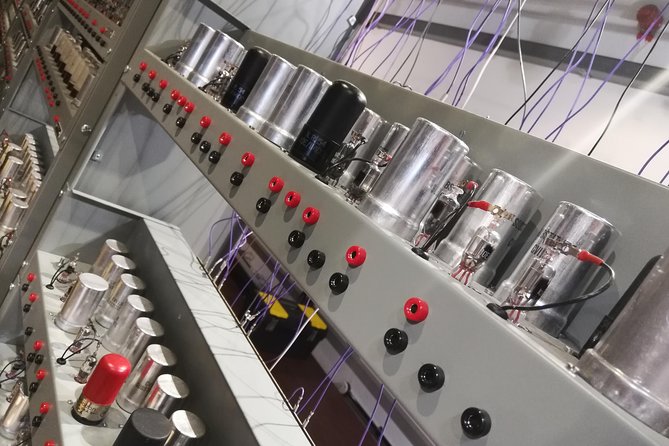
If you’re the type who likes your history with working parts, The National Museum of Computing (TNMOC) is a satisfying stop. Instead of treating computers as static artifacts, the museum leans hard into the idea that these machines were built to run. That changes everything about how you understand the story of computing.
The museum covers a big span of time, from the WWII period through to personal computing and the internet. You start in the 1940s with landmark machines and codebreaking-era engineering, then move into the large systems and mainframes that shaped the next decades. By the time you reach retro games and mobile computing, the evolution feels logical, not random.
One reason I think this museum is such good value is the focus. You’re not trying to absorb hundreds of unrelated items. The center of gravity is computing history told through systems that are actually meant to function, with people on hand to explain what you’re seeing.
Ticket value in plain terms: what you’re really paying for
The price is $20.83 per person, and the ticket includes admission. For a visit that can run from about 2 to 6 hours, you’re paying for time in front of working machines, plus staff support through talks and demonstrations.
The most practical money-saver is the skip-the-line aspect, paired with the fact that you get a mobile ticket. Even if you end up arriving with plenty of time, it still helps you avoid the common museum problem, standing around while your brain wants to start processing the exhibits.
Planning tip: this experience is popular, and bookings are often made around 18 days in advance. If your trip window is tight, booking early is a simple way to reduce stress later.
Bletchley Park vs TNMOC: the detail that can cost you
On the Bletchley Park site, it’s easy to assume one ticket equals everything. Here’s the catch. This museum is a separate national museum from Bletchley Park.
That matters because a booking mix-up can lead to paying entry again at the door. The lesson is straightforward, before you go, confirm that your ticket explicitly says you’re entering the National Museum of Computing experience, not a different site or a different museum product.
If you’re traveling with a schedule that’s already tight, this is worth treating as a non-negotiable step. One extra minute checking your confirmation can protect you from a frustrating detour.
Your visit flow: how the museum tells the computing story
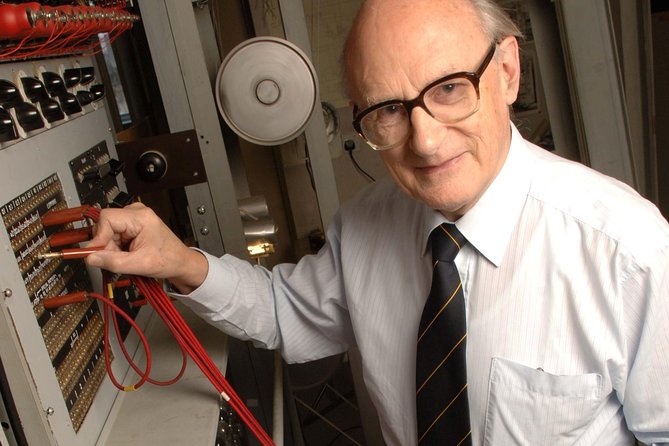
This is essentially a single-site experience, focused entirely on TNMOC. The best way to think about it is like a timeline you can slow down on. You move through major eras, and each era comes with the chance to see relevant machines and systems in action.
What makes the flow work is that it’s not just chronological, it’s thematic. The museum moves from hardware used for codebreaking and communications, to the big computing systems of the mid-century decades, and then to how computing became personal, playful, and eventually networked through the internet and mobile era.
You can pace it for 2 hours if you’re in a hurry, or extend it toward 6 hours if you want time for the demonstrations and a calmer read-through. Either way, plan to spend your energy where the machines are running and when staff talks happen.
Stop 1: WWII computing machines and why the Bombe matters
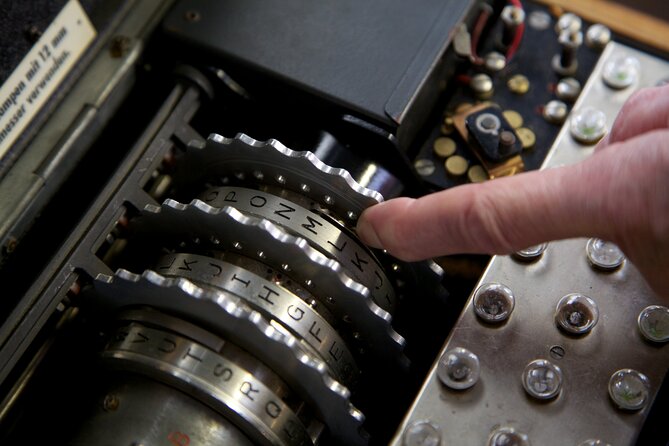
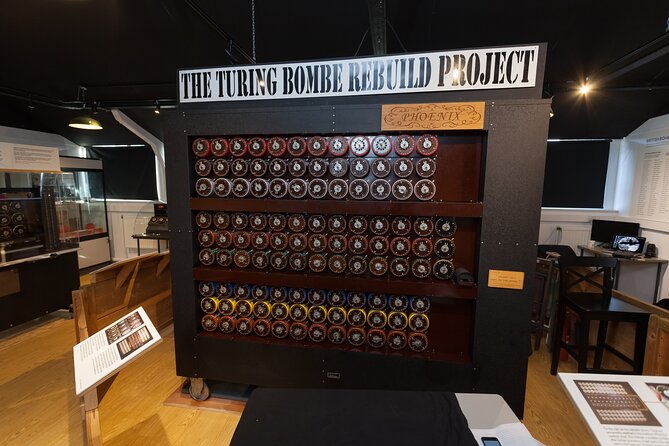
The museum begins in the 1940s computing world, with a strong emphasis on the machines tied to codebreaking. Expect to encounter key systems from that era, including the Turing-Welchman Bombe, plus references to Enigma, Lorenz, and Colossus.
What you’ll likely find most compelling is how these machines connect the dots between human logic and mechanical execution. Even if you already know the names, seeing the idea represented through working or rebuilt systems helps you appreciate the scale of the engineering challenge.
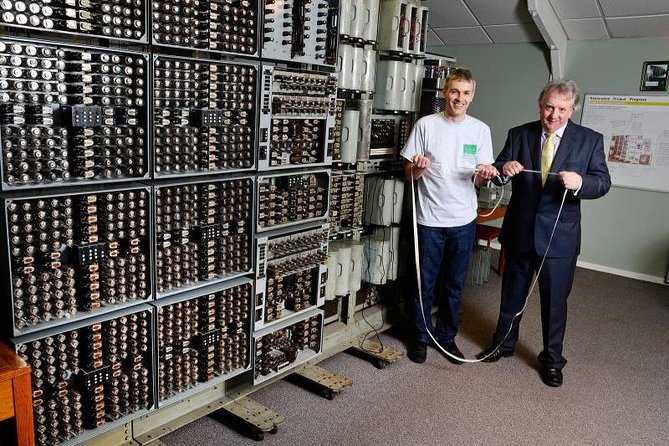
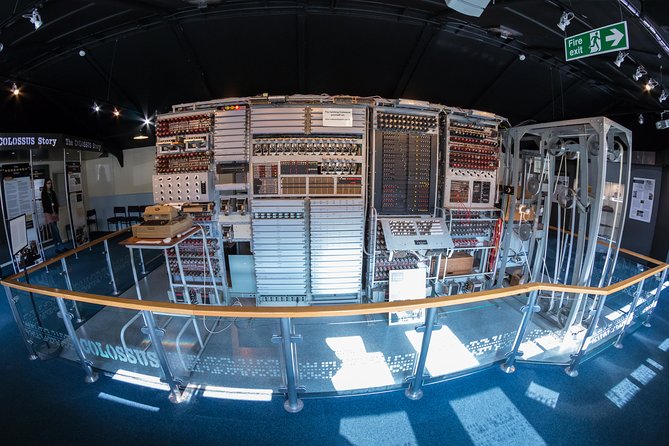
The rebuilt Bombe and Colossus machines are a highlight for a reason. When demonstrations put the hardware into motion, it stops being abstract history. Instead, it becomes a story you can watch happening, with the sheer size and complexity doing half the explaining.
If you care about how WWII-era technology shaped what came later, this is the portion you’ll remember. The WWII material provides the foundation for everything that follows.
Beyond the 1940s: mainframes, large systems, and how computing grew up
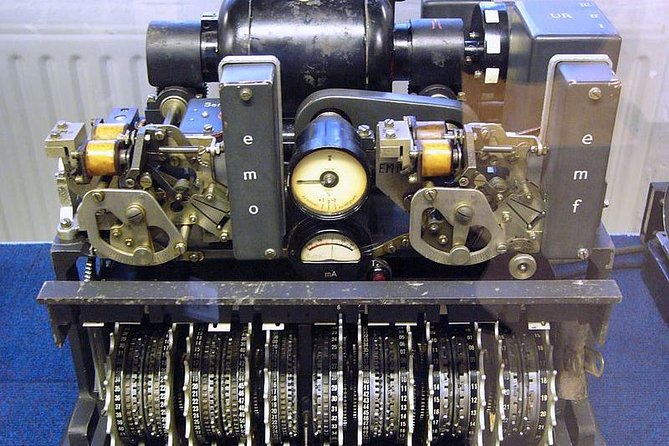
After the 1940s material, the museum moves into the 1950s, 60s, and 70s era, when computing scaled up into large systems and mainframes. This stretch is where a lot of visitors start to see the big shift from wartime special-purpose engineering toward broader computing infrastructure.
The museum describes the progression clearly, so you can follow how computing capabilities expanded along with their complexity. If you’re more of a tech person than a WWII person, this section can be the bridge that keeps you engaged, because it’s where you can start thinking about what made early systems powerful in the first place.
A practical note: this section can feel denser than the WWII portion, because mainframe-era concepts can require more attention to fully absorb. If you’re short on time, focus on the machines and the parts you can see in operation or explained directly in talks.
Personal computing, retro games, and the mobile internet era
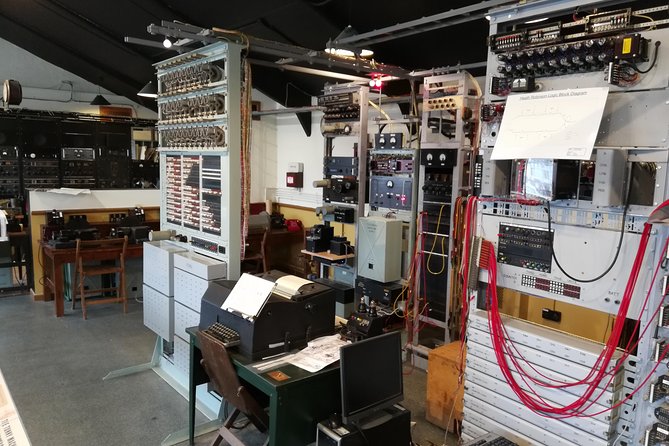
One of the museum’s strengths is that it doesn’t stop at the history you might already expect. It continues into the rise of personal computing, then into retro games, and finally into the rise of mobile computing and the internet.
This progression helps you connect the museum experience to the tech you use now. It’s not about nostalgia for its own sake. It’s about showing how the “general purpose computing” idea grew from big machines into devices and services people interact with every day.
The retro games section is especially worth your time if you learn best by doing. It adds play into the story, which can make the timeline feel less like a lecture and more like a path you can walk yourself.
Talks, demonstrations, and getting more from the exhibits
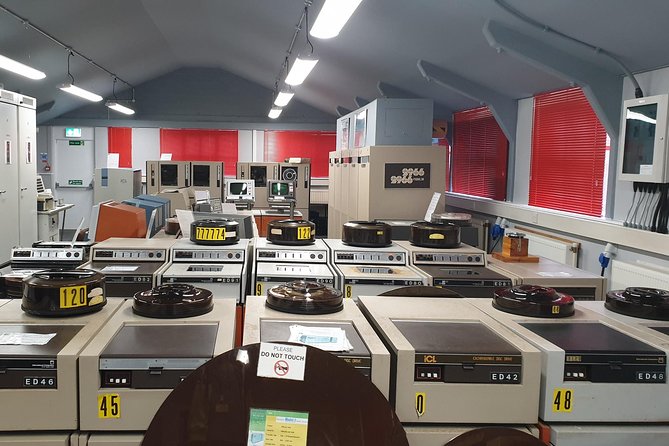
A big reason people enjoy TNMOC is the human factor, the explanations and demonstrations around key exhibits. The museum is known for rebuilt-machine talks that help you interpret what you’re seeing, especially around the Bombe and Colossus machines.
If you want the best experience, don’t just skim the displays. Pause for the demonstrations when they’re happening, then circle back to the labels once you understand the action. That order helps the details stick.
Also, treat staff-led moments as part of the exhibit. The museum environment is designed for that, and the explanations can make the same machine feel totally different after you hear how it works.
Facilities that make a half-day visit easier
TNMOC is built for a realistic visit length, not a rushed stop. If you spend 3 to 4 hours there, you’ll appreciate the basics that keep you comfortable.
There’s a cafe for light refreshments and outside seating if you want a breath of air. That matters because this museum can pull you into longer attention, and having a simple place to reset keeps the visit enjoyable rather than exhausting.
If you have sensory needs, there are Sensory Maps available. You can use that to plan how you’ll move through the exhibits in a way that works for you.
And if you’re relying on transport options beyond a rental car, it’s listed as near public transportation, which helps with scheduling.
Who will enjoy TNMOC the most
This museum hits best for two types of people. History fans who like WWII-era innovation will enjoy the link between codebreaking engineering and the future of computing. Tech-focused visitors, especially those who like machines that run and systems that function, will appreciate the working-collection emphasis.
It also works well if you’re the kind of person who likes visiting multiple stops in the Bletchley area. TNMOC is easy to miss if you only plan around Bletchley Park, but pairing them gives you a fuller picture of the story behind the names you’ll recognize.
For group visits and schools, the museum is set up to welcome corporate and school groups too, which usually means the site is comfortable with people coming in with different pacing and expectations.
When to go: hours and how long to plan
Opening hours are listed as Tuesday, 10:30 AM to 5:00 PM within the stated operating window. Since the visit can run 2 to 6 hours, you should time your plan with your energy level.
If you want a calmer visit with demonstrations and time to look around, I’d treat it as at least a half day. If you’re trying to fit it around other nearby sights, aim closer to the 2 to 3 hour end, but still allow extra minutes for any talk moments that pull your attention.
Should you book this TNMOC entry ticket?
Book it if you want computing history you can see in motion, not just read about. The best value here is the combination of working historic computers, the timeline from Turing-era systems to later computing, and demonstrations that explain the hardware in practical terms.
Skip or double-check your plans if you’re specifically trying to see Bletchley Park attractions, because TNMOC is a separate museum experience. Your strongest “do this once and you’re safe” move is verifying your confirmation says National Museum of Computing.
If you’re visiting the Milton Keynes or Bletchley Park area and you like hands-on tech history, this ticket is one of the easiest additions you can make. It turns a nearby stop into a focused, memorable computing story that still feels connected to the technology you use every day.
FAQ
What is the duration of the National Museum of Computing experience?
The experience is listed as lasting approximately 2 to 6 hours.
What does the ticket include?
The admission ticket is included, and the ticket is designed as a mobile entry option.
Are demonstrations and working computers part of the experience?
Yes. The museum is described as home to the world’s largest collection of working historic computers, and rebuilt machines like the Bombe and Colossus are highlighted for talks and demonstrations.
Where is the experience located and how do I get there?
It’s located in Milton Keynes, England, and it’s listed as near public transportation.
What are the opening hours shown for this experience?
The provided opening hours show Tuesdays from 10:30 AM to 5:00 PM.
Is there anything to know about accessibility or animals?
Service animals are allowed, and Sensory Maps are available. The experience is also listed as suitable for most travelers.
Fresh off the notebook in Milton Keynes
- Milton Keynes iFLY Indoor Skydiving Experience – 2 Flights & Certificate
★ 4.0 · 219 reviews
Tickets, compared.
 ★ 4.5Tower of London and Crown Jewels Exhibition TicketFrom $496,677 reviews
 ★ 3.5Alton Towers Resort 1 Day Admission TicketFrom $435,501 reviews
 ★ 4.0The London Eye Entry TicketFrom $393,498 reviews
 ★ 4.5London Eye Fast-Track TicketFrom $603,456 reviews
 ★ 4.5Liverpool City Sights Hop On Hop Off City Tour – 24hr TicketFrom $192,555 reviews
 ★ 4.0Madame Tussauds London Admission TicketFrom $372,534 reviews
 ★ 4.0The London Dungeon Admission TicketFrom $372,133 reviews
 ★ 4.0Warwick Castle Admission TicketFrom $302,096 reviews