
REVIEW · LONDON MUSEUMS AND GALLERIES
London National Gallery Self-Guided Tour with App (No Tickets)
Skip the guesswork in London.
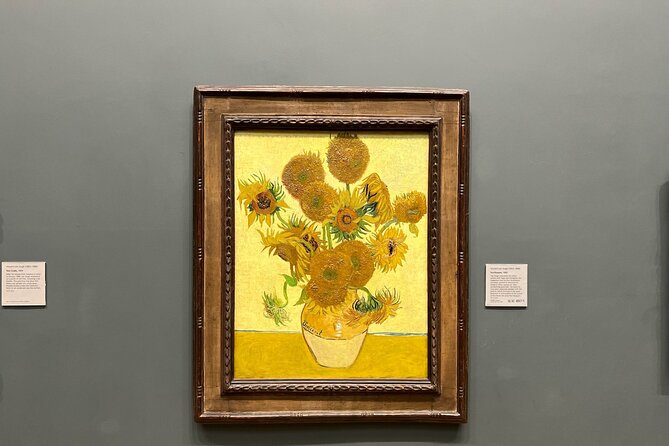
This self-guided National Gallery tour uses a smartphone app so you can follow a highlights route and learn as you go, without feeling stuck reading tiny plaques all day. The big draw is offline access, plus audio commentary that focuses on the museum’s most famous paintings, from artists like Da Vinci, Rubens, and Van Gogh.
I like the way this tour is built for real museum behavior, short attention spans and all. You get a simple in-app map, and the audio route is designed to fit an easy 1 hour visit (with some buffer for lingering).
The main drawback to think about is scope: the audio covers 12 artworks, so if you were hoping for a walkthrough of the whole National Gallery, this is not that.
In This Review
- Key points before you go
- National Gallery highlights, on your schedule
- Price and what you get for $5.98
- Meeting at Trafalgar Square and getting your phone ready
- Offline audio that you control all year
- The 12-artwork highlight route at the National Gallery
- How to use the in-app map without getting stuck
- Time planning: a one-hour plan, not a whole-day trap
- Language and narration expectations
- Where this tour shines, and where it won’t
- Group size, practical crowd reality
- Who should book this National Gallery app tour
- Should you book this National Gallery app tour?
- FAQ
- How much does the National Gallery self-guided app tour cost?
- How long does the tour take?
- Do I need internet during the museum visit?
- How many artworks are included in the audio commentary?
- Are entry tickets to the National Gallery included?
- Is there a human tour guide?
- Does the tour include an in-app map?
- How long do I have access to the tour on the app?
- What equipment do I need?
- Can I cancel for a refund?
Key points before you go
- Offline audio, no data needed once you download the tour
- Built-in map to help you move from painting to painting
- 12 artwork highlights with AI-narrated commentary and symbolism-focused notes
- Year-long access on both iPhone and Android, you can revisit later
- Short visit friendly, roughly 1 to 2 hours total
- No entry ticket inside, but National Gallery entry is free (with optional reservations for shorter queues)
Rainy afternoon fixed: more museum visits we tried
- British Museum London Guided Tour Semi-Private 8ppl Max★ 5.0 · 984 reviews
- The British Museum London – Exclusive Guided Museum Tour★ 5.0 · 555 reviews
- British Museum Guided Tour★ 4.0 · 470 reviews
- Private Guided Tour of the British Museum – Tickets Included★ 5.0 · 193 reviews
National Gallery highlights, on your schedule
The National Gallery is the kind of place where you can accidentally spend an entire day just drifting from one masterpiece to the next. This app tour nudges you toward the best-known works, but without bossing you around. You walk at your pace, stop when something catches your eye, and restart the audio when you are ready.
What makes it feel practical is that the tour is not trying to be an encyclopedia. It is built around a highlights circuit, with commentary meant to help you understand what you are looking at, and why people keep talking about it. You do not need to be an art expert either, because the narration is focused on the recognizable features and the visual symbolism that makes each painting click.
Price and what you get for $5.98
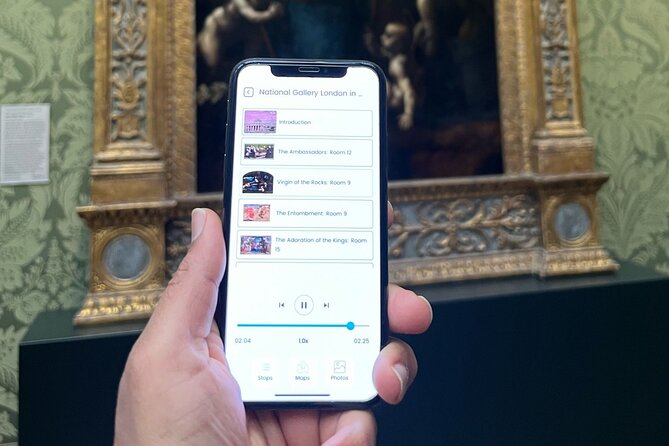
At $5.98 per person, you are not paying for a guide’s salary or a timed ticket. You are paying for a tool: the Tourific Smartphone app access for 1 year, including an offline audio guide and an in-app navigation map.
Here is the value angle I see. National Gallery admission is free, so your cost is basically “buying back time and clarity.” Instead of spending your visit trying to choose where to start, you get a ready-made route and a structured way to look. If you are visiting with limited time, that is a smart use of a small budget.
Also, the year-long access matters more than it sounds. If you want to replay the narration later in the comfort of home, or you return to the museum and want a refresher, you can. That turns one short outing into a small ongoing learning experience.
Meeting at Trafalgar Square and getting your phone ready
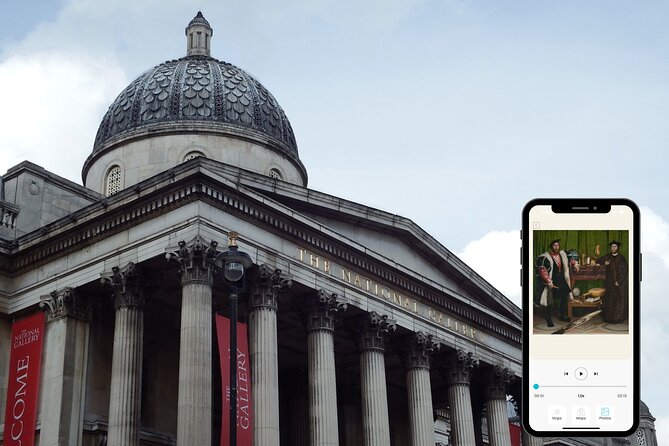
You start at the National Gallery, right at Trafalgar Square, London WC2N 5DN. The activity ends back at the same meeting point, which makes planning easy, especially if you are also pairing the Gallery with nearby stops like Westminster or Leicester Square.
Before you walk in, do yourself a favor: make sure your app access is working and that the tour is downloaded for offline use. The tour is designed to work without internet after download, so you do not have to worry about getting a signal in the galleries. Still, you need a moment of normal connectivity first to grab the content.
One detail I would not ignore: you should expect to use your own phone. And since headphones are not included, plan to bring earbuds if you want audio privately, or be ready for the less-than-ideal option of sharing sound in a quiet gallery.
Offline audio that you control all year
This is one of the strongest parts of the experience: once you download the tour, it works without access to the internet. That means you can keep your phone on airplane mode if you want, and still get narration and directions.
The audio is AI-narrated, and it is targeted at a specific set of paintings. That is important because it shapes what you will notice. The commentary is meant to point out signature visual elements and explain symbolism in a way you can absorb quickly while standing in front of the artwork.
You can listen as many times as you want during your visit, and again later for the next year. If you find yourself pulled toward one painting longer than planned, you can keep the audio going, pause, then restart without the stress of “running out of content.”
Rather go alone? More self led routes here





The 12-artwork highlight route at the National Gallery

The tour’s itinerary is simple: you do one stop, the National Gallery highlights route. The structure is built around a shortlist of 12 renowned paintings. You get audio commentary for those specific works, with explanations of artist style, key features, and symbolism.
This route is designed for people who are short on time. It is organized so you can finish in about an hour if you keep moving and resist the temptation to read every last plaque. In my view, that is the real genius here. The National Gallery has so much to see that a highlights track is the difference between a great visit and a frustrating one.
At each artwork, the audio aims to help you look better, not just look longer. Instead of treating art like a quiz, it guides you to notice things like composition, recognizable visual motifs, and storytelling clues embedded in the scene. You also get that “art history in context” feeling as the narration connects techniques and symbolism to how these paintings became famous.
The artists included span major names, including Da Vinci, Rubens, and Van Gogh. That blend is useful because it gives you a quick sense of how styles and themes shift over time, even if you do not have the hours needed for a full timeline tour.
How to use the in-app map without getting stuck

The app includes an in-app map so you can move from one painting to the next. In a museum like this, navigation is not just about getting your steps right. It is about keeping your momentum.
Here is how I’d use it:
- Start the route, then follow the suggested path instead of trying to outsmart it
- When you pause for a photo or a longer look, let the map guide you back
- If a room is crowded, wait for a gap, then continue with the next artwork when you can see it clearly
The biggest payoff is mental. Without the map, it is easy to forget where you left off. With the map, you keep a clear thread. That thread is what helps you absorb the artwork explanations without feeling like you are sprinting.
Time planning: a one-hour plan, not a whole-day trap
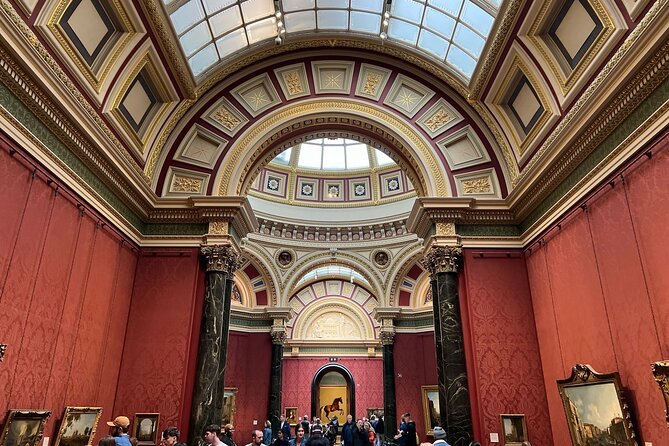
The tour is listed as about 1 to 2 hours, and it is explicitly designed to be completed in roughly one hour for those who are short on time.
I like that flexibility. If you have 45 to 90 minutes, you can do this tour and still have energy left to wander. If you have more time, you can treat the 12 artworks as a starting backbone, then keep exploring nearby rooms afterward using your own curiosity.
A practical move: set yourself up for a “good enough” first pass. Do the app route. Then if you still have time, go back for the parts that grabbed you most. This keeps your visit from turning into a frantic checklist where you barely see anything.
Language and narration expectations
Audio is included, and it is described as AI-narrated. That is great for consistency and for being available whenever you pause.
One thing to consider is language. The experience is described generally as audio commentary, and at least one person expected a different language version in the app. If you care about a specific language, you should check what the app provides before you commit your visit time. It is a small step that prevents a big “wait, this is not what I need” moment.
Also, remember that this is not a human guide. That can be a plus or a minus depending on your style. If you like structured explanations you can pause and replay, the app works well. If you want conversation and spontaneous questions, you might miss having a person on the spot.
Where this tour shines, and where it won’t
Let’s be honest about fit. This app tour is a strong choice when you:
- Want a fast, organized highlights experience
- Like learning while you look, without reading every plaque
- Prefer offline content and self-paced movement
- Are happy focusing on a short list of 12 paintings
It is not the best choice if you:
- Want commentary on a larger portion of the National Gallery
- Expect the audio to cover the majority of artworks you encounter
- Plan to rely on it as a full substitute for walking the galleries slowly
And one more practical consideration: the tour depends on having your phone and audio working. If your battery is low or your earbuds are missing, you will still be in the museum, but the experience loses some of its magic. Charging your phone before you go is a simple win.
Group size, practical crowd reality
The tour lists a maximum of 20 travelers. Since it is self-guided with an app, you are not usually standing in a pack with a guide, but the group size still matters for how crowded the starting area may feel at peak times.
The National Gallery around prime hours can be busy, so I’d aim for a time window where you can actually stop and look without constantly sidestepping. The museum opening hours are given as 10:00 AM to 6:00 PM, Monday through Sunday, within the stated date range.
Who should book this National Gallery app tour
I’d recommend it to you if:
- You are visiting for the first time and want a clean entry point
- You have limited time and want a route that makes sense right away
- You like learning from structured prompts, especially about symbolism and visual cues
- You want to revisit the content later over the next year
It also fits well for families and mixed-experience groups. Since you can control pacing, kids or non-experts can focus on what matters most in each artwork, while adults get the extra context that makes the paintings feel less random.
If you already know the National Gallery well and you want the “read every detail” experience, you might find this too short on explanation. But if your goal is to see the best, understand more than you would from plaques alone, and keep moving, it’s a good use of time.
Should you book this National Gallery app tour?
If you want a simple highlights plan that helps you understand what you are seeing, I think it is worth it. For about six bucks, you get year-long access to an offline audio experience centered on 12 famous paintings, plus navigation support. That is especially compelling because entry to the National Gallery is free.
Skip it or rethink it if you expect a full museum guide or audio coverage across most of the collection. This is a targeted route, not an all-day replacement for slow gallery wandering.
My final advice: download it before you go, bring headphones if you can, and treat the 12 artworks as your “best of” foundation. Then use your remaining time in the museum for whatever still calls you back.
FAQ
How much does the National Gallery self-guided app tour cost?
It costs $5.98 per person.
How long does the tour take?
It is approximately 1 to 2 hours, with a concise route designed to be completed in about an hour.
Do I need internet during the museum visit?
No. The app works without internet access once the tour is downloaded.
How many artworks are included in the audio commentary?
The audio commentary covers 12 artworks.
Are entry tickets to the National Gallery included?
No. Admission is free, but entry tickets are not included in this experience. You may be able to reserve a spot on the official website for shorter queues.
Is there a human tour guide?
No human tour guide is included. The tour is self-guided through the app.
Does the tour include an in-app map?
Yes. The app includes a map to help you navigate between artworks.
How long do I have access to the tour on the app?
You get access for 1 year, and you can listen to the tour any number of times at the location or at home during that time.
What equipment do I need?
You use your own smartphone. Headphones are not included, and no physical devices are provided.
Can I cancel for a refund?
Yes. Free cancellation is available, and you can cancel up to 24 hours in advance for a full refund. If you cancel less than 24 hours before the start time, the amount paid is not refunded.
Other Collections Worth An Hour






Routes You Can Walk Unaccompanied






Museum Days In London



Fresh off the notebook in London
- Witchcraft, Ancient Cults & MI15 Spy Secrets
★ 4.0 · 3 reviews - Arrival Transfer: London Train Stations to London Hotels
★ 5.0 · 3 reviews - Royal Afternoon Tea & Walk at Kensington Palace
★ 4.5 · 3 reviews - Bridgerton Tour in London
★ 5.0 · 3 reviews - Private Transfer from central London to Southampton Cruise Terminal
★ 5.0 · 3 reviews - Photographer, Professional Photo Shoot – London
★ 5.0 · 3 reviews
London Museums and Galleries, compared.
 ★ 5.0British Museum London Guided Tour Semi-Private 8ppl MaxFrom $108984 reviews
 ★ 5.0The British Museum London – Exclusive Guided Museum TourFrom $108555 reviews
 ★ 4.0British Museum Guided TourFrom $18470 reviews
 ★ 5.0Private Guided Tour of the British Museum – Tickets IncludedFrom $187193 reviews
 ★ 5.0British Museum Guided Tour with Priority Timeslots(Small Group)From $48192 reviews
 ★ 5.0National Gallery of London Museum Tour Semi-Private 8ppl MaxFrom $108178 reviews
 ★ 5.0British Museum & National Gallery of London Semi-Private 8ppl MaxFrom $201168 reviews
 ★ 5.0Natural History Museum London – Exclusive Guided Museum TourFrom $108153 reviews
Browse the lists this tour appears in